Why smart home gadgets stop receiving security updates
On May 15, 2016, every Revolv T2 hub that had ever shipped stopped working. Not because of a defect, not because of a power surge, and not because customers asked for it.
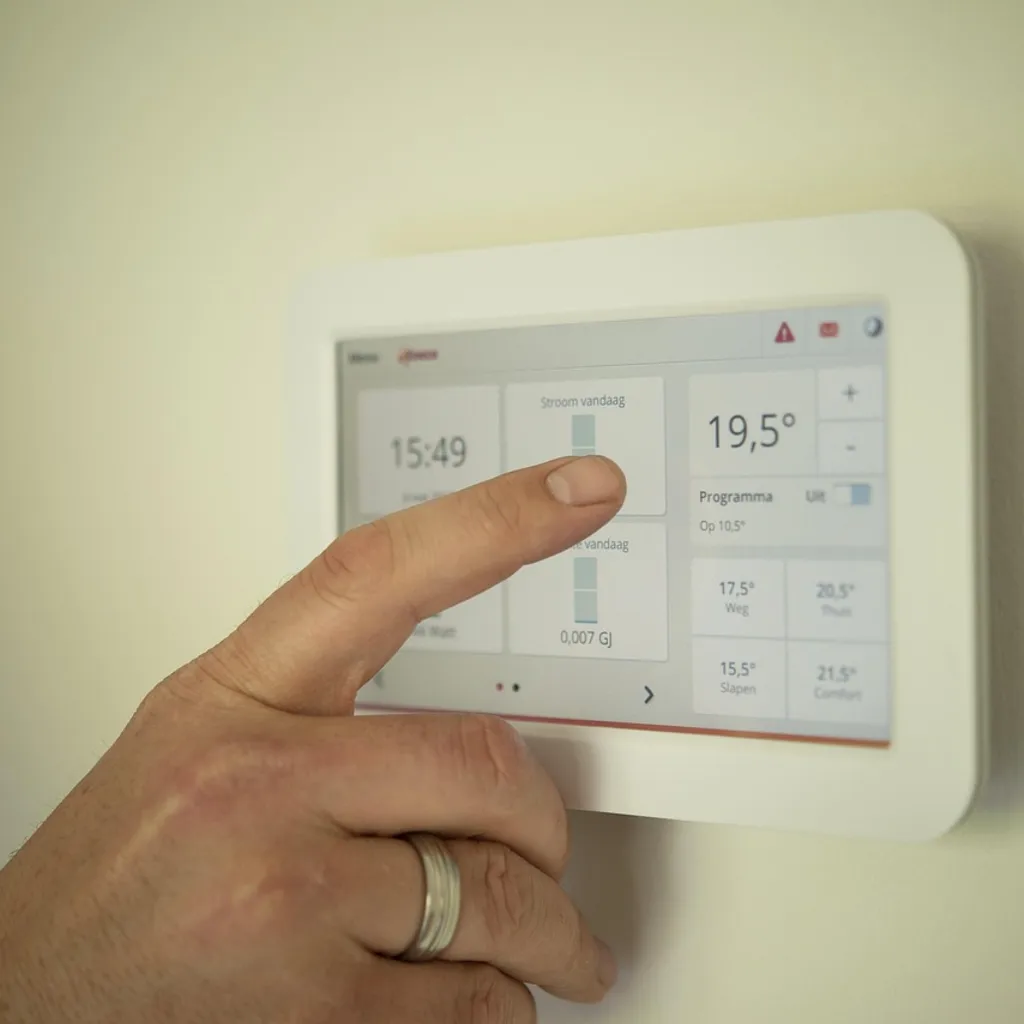
The question I'm asked most often in teardown consultations is the simplest one: *how do I know this is going to happen to mine?* Manufacturers are rarely loud about it, and firmware-update toggles in companion apps don't tell you the whole story. The answer is layered. Support ends for a combination of reasons — chipset discontinuation, server cost, corporate consolidation, and the absence of any regulatory obligation to keep IoT hardware alive. The trick is learning to read the signs before the cloud disappears, because once it does, the device doesn't merely become a paperweight in the security sense. It becomes a hole in your network that no longer receives patches for the next KRACK, BlueBorne, or zero-day that crawls out of a research lab.
A connected device isn't retired when it breaks. It's retired when the company that made it decides the spreadsheet no longer justifies the server bill.
The economics: why manufacturers pull the plug
The most common misconception among consumers is that a company discontinuing a product line is somehow an event. In the IoT world, it's a routine cost-management decision, and the math is unforgiving. Maintaining a connected product in the field means running infrastructure: TLS certificate rotation, firmware-signing keys, mobile app compatibility with the next iOS or Android release, customer-support tickets for misbehaving units, and engineers to triage the inevitable security disclosures. For a $19 smart plug or a $39 camera, that overhead can exceed the gross margin of the original sale.
Consider the typical cloud-dependent camera. The vendor hosts video streams, provides app authentication, stores clips (or arbitrates subscriptions), and must keep a STUN/TURN server fleet alive for peer connections. AWS egress fees alone, at scale, can run into seven figures annually for a vendor with a million active devices. When a new model launches, the older one becomes a liability: it still costs money, it still has potential CVE exposure, and it's now a drag on engineering resources that could be pointed at the new product. The vendor's incentive structure is to migrate users forward — sometimes transparently, often not.
Acquisitions accelerate this. Google's purchase of Nest in 2014 stranded the Revolv product line within months, despite Nest's public commitment to support existing customers. Amazon's acquisition of Ring did the same for the original Cloud Cam and certain first-generation Eero devices. Belkin's WeMo division was sold to Linksys, and the older WeMo units spent years with sporadic, delayed firmware updates before the brand quietly EOL'd much of the lineup. When a company changes hands, the inherited product portfolio is almost always the first thing gutted, because the new owner's roadmap didn't include it.
There's also the less-discussed issue of regulatory geography. Under the UK's PSTI Act and California's SB-327, connected devices sold in those jurisdictions must ship with "reasonable" security features and unique default passwords — but neither law mandates a minimum support window. The EU's Cyber Resilience Act, which entered force in late 2024, will require a five-year support period for many "products with digital elements," but its obligations are still being interpreted, and enforcement against a manufacturer that has already deprioritized a product is essentially impossible once the product has been EOL'd. Until those regulations bite — and they will, slowly — the decision to keep an aging IoT device on life support remains a private corporate one.
The silicon underneath: chipset lifecycle as the real clock
Here's the part most consumer-facing coverage misses: the device's clock doesn't start when you buy it, and it doesn't tick based on the manufacturer's good intentions. It ticks based on the chipset at its heart. A smart bulb is a power supply, a microcontroller, a radio, and a small amount of flash storage. The microcontroller — almost always a part from Espressif (ESP32, ESP8266), Realtek (RTL8710, RTL8720), MediaTek (MT7687, MT7697), or a proprietary part from Qualcomm's IoT division — runs an SDK and a TCP/IP stack that ships with the silicon vendor's reference implementation. When the silicon vendor stops issuing patches for that SDK, the device manufacturer is in a bind. They can either maintain their own fork of the network stack (expensive, requires their own security team) or accept the risk of shipping unpatched firmware indefinitely.
This is why the firmware-update cadence of an IoT product is more honest than its marketing. If a vendor's last commit to the public-facing update log for a particular product was 14 months ago, and the chipset inside is three generations old, that product is functionally on borrowed time. The most common chipset families that have aged out of active vendor support in the past five years include the Realtek RTL8710 (used in many sub-$30 Wi-Fi plugs and bulbs circa 2017–2020), the original Espressif ESP8266 (still maintained upstream, but many OEM forks have diverged), and several Marvell 88W8997-based designs that powered early 4K security cameras. If your device's SoC is on one of those lists and the OEM isn't actively maintaining their fork, the device is a CVE in waiting.
The teardown work I've done in the last 18 months tells the story without requiring any marketing material. I've opened cameras that shipped with a 2018 build of FreeRTOS that has never received a single upstream patch. I've opened smart locks running OpenSSL 1.0.1 — that fork of OpenSSL is older than Heartbleed, and it shipped factory-fresh in 2023 hardware from a major brand. The reason isn't malice. It's that the OEM licensed the binary blob, dropped it into a Yocto or Buildroot image, and never budgeted for the engineering time to keep the cryptographic stack current. Once the product ships, the codebase is effectively frozen unless a CVE makes headlines.
A firmware update is a vendor admitting they shipped something insecure. The absence of an update is a vendor hoping you don't notice.
Reading the signs: how EOL announces itself
Devices rarely die suddenly without warning. The signs accumulate, and once you know what to look for, they're easy to spot. The most reliable indicators, in order of severity:
1. The companion app stops receiving updates. This is the canary. The hardware is usually still supported, but the app is the first thing the vendor deprioritizes when iOS or Android changes its permission model or networking API. If the app hasn't been updated in six months and the device itself hasn't seen a firmware push in a year, the product is being silently sunset.
2. The support page changes wording. Manufacturers in the US and EU are required, in many cases, to maintain publicly visible product support pages. The language shifts from "active product" to "limited support" to "no longer supported" over months, and most vendors don't notify customers. Archive the page with the Wayback Machine the first time you notice wording softening.
3. The firmware repository goes quiet. Some vendors maintain public firmware manifests (Wyze has done this inconsistently; Eufy publishes very little; Sonos maintains a publicly accessible support matrix). If the changelog for a product stops appearing on the support page, or the most recent entry is more than 12 months old, treat it as suspect.
4. App deprecation. When a vendor pulls its app from the App Store or Play Store — a tactic Insteon effectively used as a soft kill switch — the device becomes functionally unrecoverable for non-technical users. If your app is suddenly flagged as "no longer maintained" or is pulled entirely, the device has been EOL'd in everything but name.
5. The product disappears from the official store. When the listing on the manufacturer's own site goes to "out of stock" or "discontinued" and isn't replaced, the support horizon for the existing installed base has typically been cut to zero. Some vendors quietly extend support for a year or two after the last sale; many do not.
6. Acquisition activity. If the company is acquired, expect the product line to be reviewed within 6–18 months. Revolv, the original Pebble line, and the first-generation Nest hardware all fell into this category.
7. The product joins the vendor's published EOL list. Some vendors (Sonos, Logitech, Lutron, D-Link) maintain a public list of products that have reached end-of-life and the support cutoff date. If your product appears, you have a hard date to plan around.
| Signal | Where to look | Typical lead time before functional EOL |
|---|---|---|
| App update cadence | App Store / Play Store changelog | 6–12 months |
| Firmware changelog | Vendor support page | 3–6 months |
| Wording on support page | Vendor support / Wayback Machine | 2–6 months |
| App pulled from store | App Store / Play Store search | 0–3 months (often the trigger) |
| Acquisition announcement | Press releases, regulatory filings | 6–18 months |
| Published EOL list | Vendor's official documentation | Hard date |
The verification playbook: confirming your device's status
If you want a definitive answer for a specific device, work through this list in order.
Step 1: Find the product's official EOL page. Major vendors with reasonably transparent policies include Sonos (which maintains a "Legacy Products" page with explicit end dates), Logitech (a "Discontinued Products" index), Lutron (per-product firmware lifecycle notes), and D-Link (a "Product End-of-Life" PDF catalog). If your vendor is on this list and your product appears, you have a hard answer.
Step 2: Check the firmware version in the app. The app will report the current firmware version, and a quick web search for that version number plus the product name usually surfaces release notes and a release date. If the most recent release is more than 12 months old and the chipset is on the aging list above, assume the product is in a maintenance freeze even if it hasn't been formally announced.
Step 3: Cross-reference with public vulnerability feeds. The CISA Known Exploited Vulnerabilities (KEV) catalog and the NIST National Vulnerability Database are searchable by product and vendor. If your device has unpatched CVEs in the KEV catalog — meaning CISA has confirmed active exploitation in the wild — treat the device as compromised even if the vendor hasn't announced EOL.
Step 4: Check community signals. Subreddits, the IoT-focused sections of Hacker News, and dedicated forums (SmartHome Community, Reddit's r/homeautomation, the now-defunct IoT Village archives) are usually four to six months ahead of vendor announcements. If owners of a product are reporting bricked units, deleted apps, or unannounced cloud shutdowns, that product is in its death spiral.
Step 5: Verify the underlying chipset. Teardown databases — iFixit, the FCC's internal-photos database (searchable by FCC ID), and EEVblog's forum teardowns — will tell you what's actually inside a product. Once you know the SoC, check the silicon vendor's product lifecycle page. Realtek, MediaTek, Espressif, and Marvell all publish product change notifications (PCNs) and last-time-buy dates for their older parts. If the SoC has been formally discontinued at the silicon level, expect the OEM to follow within 12–24 months.
Step 6: Audit the cloud dependency. A device that functions fully on the local network without a cloud relay — Hue bulbs with the hub in local-control mode, Lutron Caséta, certain Shelly relays, most Home Assistant-compatible devices — can outlive its vendor. A device that requires a cloud round-trip for every command (most cheap cameras, the original Insteon hub, older Tuya-based devices that haven't been reflashed) cannot. If you can block the device's outbound internet access in your router and it still does everything you need, it's a candidate for long-term retention. If it stops responding, it's a candidate for replacement.
For readers who want a less technical, more lifestyle-oriented framing of how these devices fit into a household — and the practical choices that come with adopting them — Day to Day Bharat covers the consumer side well. From a teardown bench, though, the question is narrower: is the silicon alive, is the cloud paid for, and is the vendor still answering security disclosures.
Risk tiers: when to keep, when to isolate, when to throw out
Once you've classified a device, the response is one of three things.
Tier 1 — Keep, with monitoring. Devices with active firmware support, a published support horizon, and a local-control fallback (Hue, Lutron, recent Shelly, current Eufy) belong here. Keep them on a normal network segment, accept updates promptly, and re-audit annually.
Tier 2 — Isolate on a constrained VLAN. Devices that still work but lack recent updates, or whose vendor is non-responsive, belong on a segregated VLAN with strict egress rules. Most consumer routers (UniFi, Eero Pro, TP-Link Omada, pfSense, OPNsense) can create an IoT VLAN that blocks direct access to your main network and limits outbound traffic to known-vendor domains. Combined with a Pi-hole or AdGuard Home instance, this layer of isolation prevents an outdated camera from being a pivot point to the rest of your network. Treat this tier as a 12–24 month bridge, not a permanent home.
Tier 3 — Replace or retire. Devices that have been formally EOL'd, lost their cloud service, or are running unpatched critical CVEs should come off the network entirely. If replacement is impractical, the next best step is to disconnect them from any network they don't strictly need and store them offline. A disconnected device cannot be remotely compromised; a connected but unpatched device can.
The honest answer to *how long should a smart home device last* is that it should last as long as the vendor commits to its security. For most sub-$100 IoT products, the realistic window is three to five years from release. Premium lines (Hue, Lutron, Sonos-era speakers) often stretch to seven or more. The market doesn't reward longevity, and the supply chain doesn't enforce it, so the responsibility for tracking the clock falls to the user.
The position
The connected home is a bet on a vendor's continued attention. Most vendors will lose interest in your hardware long before you lose interest in the hardware. The teardown reality is that the components inside an IoT device are engineered for a two-to-three-year commercial lifespan, the cloud bill that keeps it functional is a perpetual line item that doesn't scale with revenue, and the regulatory pressure to keep the lights on is still, as of 2025, mostly theoretical. The way to manage that reality is to assume every device you install is on a countdown from day one — track the firmware, know the chipset, isolate what you can, and replace what you must. A smart home is only as secure as the oldest, quietest, least-updated box on the network, and those are the ones that get you.